
“Write the weekly project brief every Monday” sounds like a complete instruction. It has a job and a time. It leaves out most of the decisions that make the result useful.
Which projects belong in the brief? Should it read the task list, the decisions, or both? Where should the result go? Does someone check it before the rest of the team sees it?
Those questions shaped the September Automations interface. We wanted someone to be able to read a workflow and understand the agreement behind it, without opening an execution log or inferring behavior from a short title.
Give the workflow its own definition
The earlier surface reused project tasks as workflow rows. That provided a list, but a task and a recurring workflow describe different things. A task records a piece of work. A workflow describes how a job should be repeated.
We gave Automations a dedicated library, with separate places for workflow definitions, individual runs and templates. Expanding a workflow explains its inputs, intended output and review step. Wider layouts have room for more of the instructions and destination.
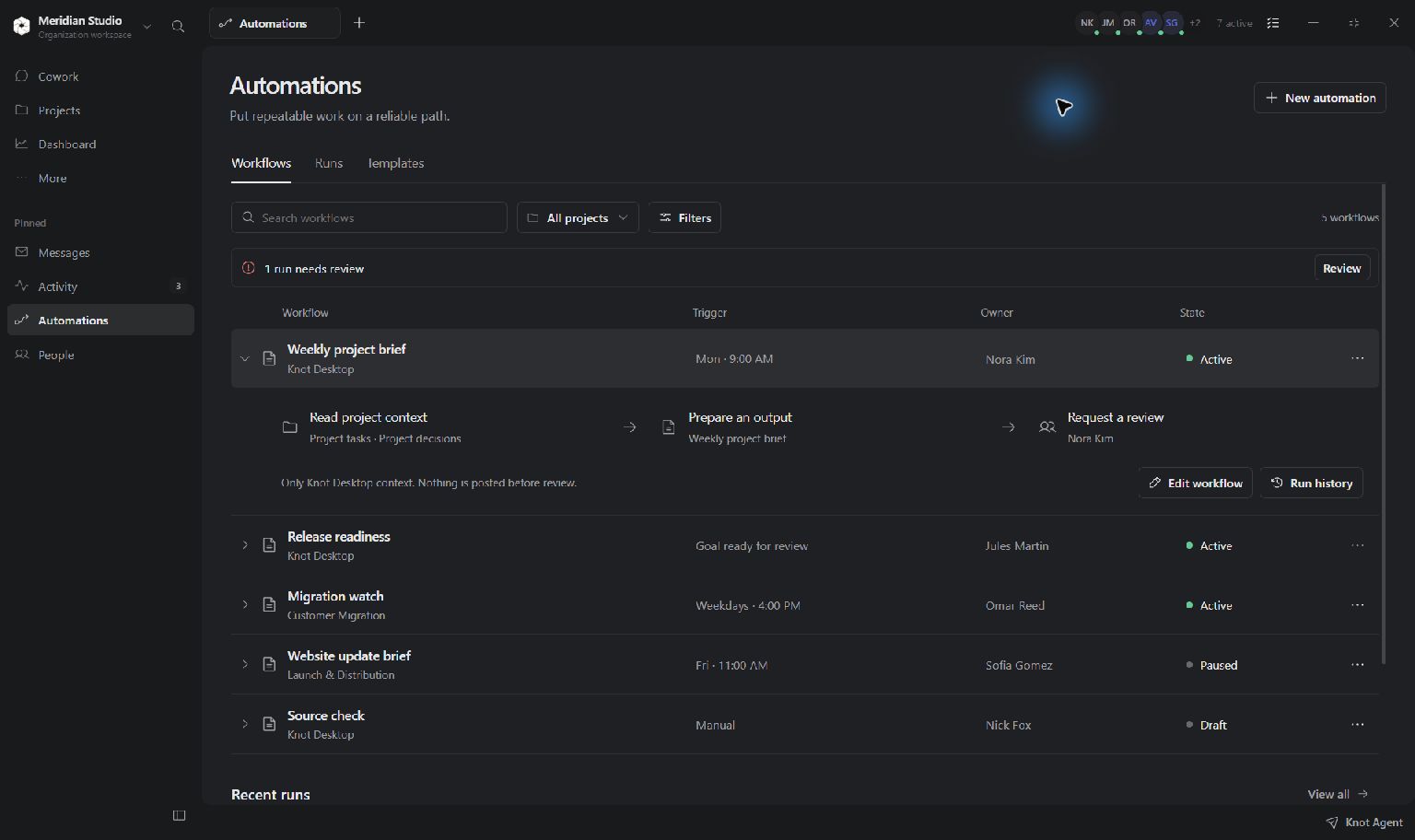
This separation helps answer different questions. The workflow explains what should happen. A run should explain what happened on a particular occasion. A template is a starting point, not evidence that either of those things has taken place.
Keeping them distinct also makes a quiet interface more informative. A person should not have to inspect a row to discover whether it represents an instruction, an attempted execution or an example they can adapt.
When, what and where
The editor became one continuous form organized around three questions.
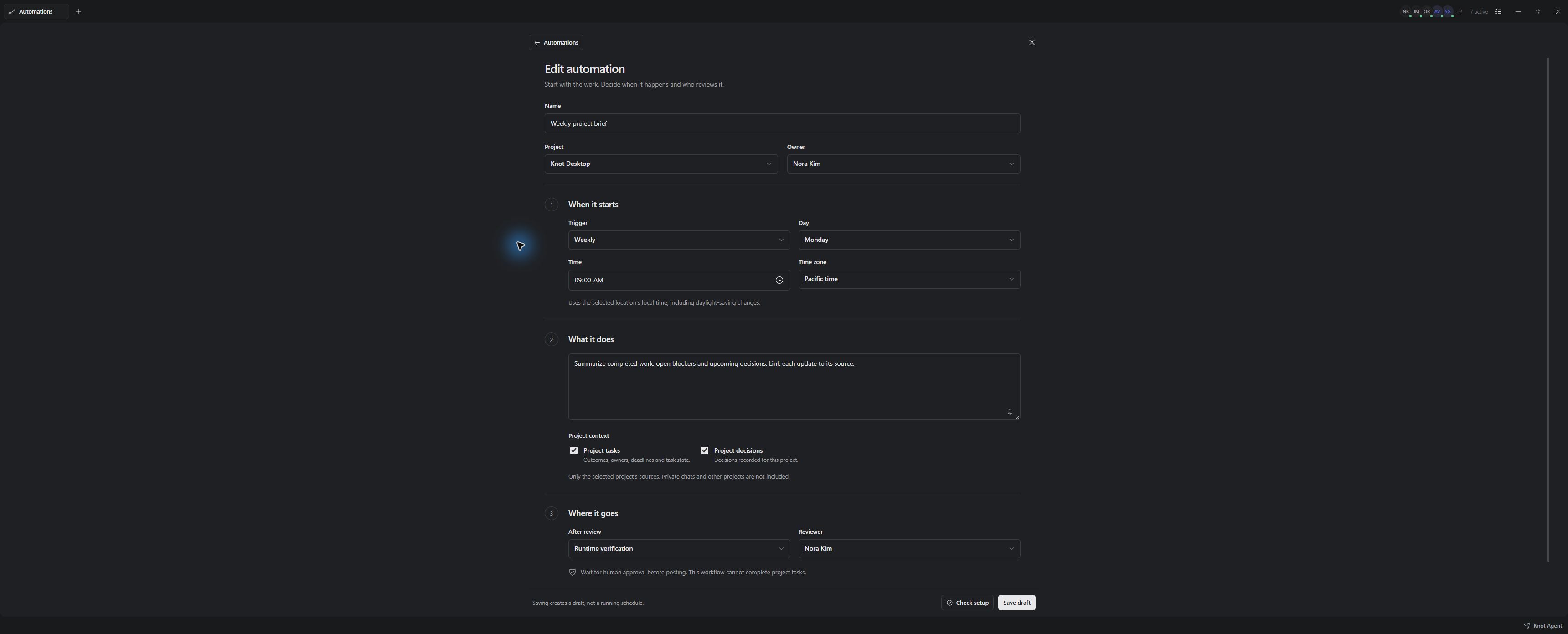
When includes the cadence, day, time and timezone. A weekly job is incomplete if the person setting it and the system executing it interpret nine o'clock differently. Showing the timezone makes that part of the agreement explicit.
What includes the instructions and the selected project sources. In the weekly brief example, those sources include tasks and decisions. Choosing a project is not shorthand for giving the workflow everything everyone has ever said.
Where names the destination and reviewer. That matters because producing a draft and posting it to a shared room are different actions.
Read image details
Weekly project brief belongs to Knot Desktop and is owned by Nora Kim. When: weekly on Monday at 09:00 AM, in Pacific time. The form says it uses the selected location's local time, including daylight-saving changes.
What: summarize completed work, open blockers and upcoming decisions, linking each update to its source. Project tasks and project decisions are selected; private chats and other projects are not included.
Where: Runtime verification, after review by Nora Kim. Human approval is required before posting, and the workflow cannot complete project tasks. The footer explicitly says saving creates a draft, not a running schedule.
We avoided turning each question into a separate wizard screen. The person writing the instructions may need to look back at the sources or change the destination. A continuous form lets them inspect those choices as one definition.
Small editing behaviors matter here too. Opening a form without changing it should not produce an unsaved-work warning. Escaping an unfinished edit should preserve the draft. Starting from another template should not overwrite the work already in progress on the first one.
Those are modest requirements, but they determine whether an editor feels safe to think in.
Delivery deserves its own decision
It is easy to make an automation sound finished at the point where it has produced text. A useful result still needs to reach the right place, and some results need review first.
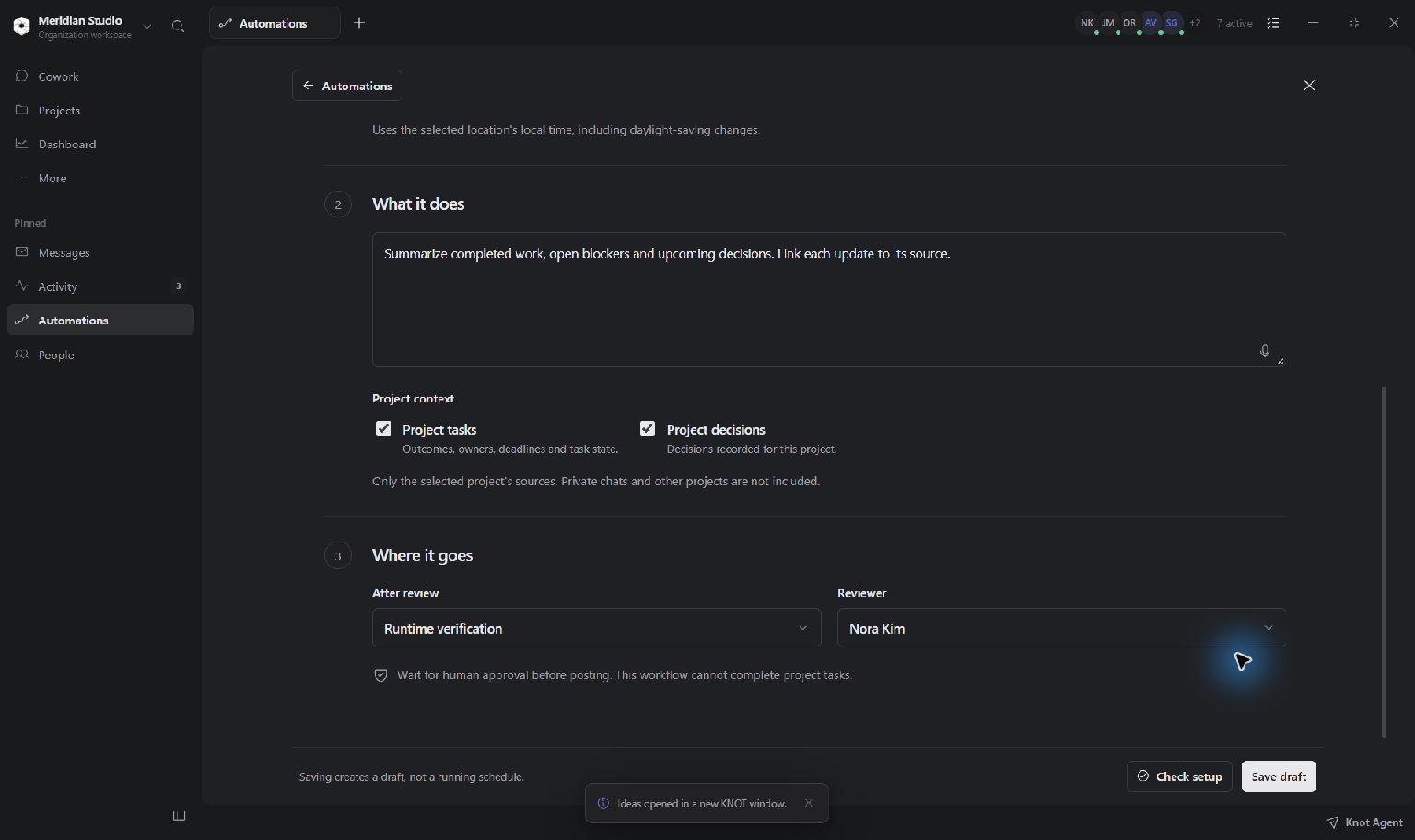
The destination section made those choices visible. In the example below, the brief is prepared for a particular workroom and a named reviewer. The source selection remains visible above it.
Read image details
The selected sources are Project tasks and Project decisions. The note limits context to the selected project's sources and excludes private chats and other projects.
The destination is Runtime verification and the reviewer is Nora Kim. The approval note says to wait for human approval before posting and that this workflow cannot complete project tasks. The pointer highlight remains part of the original capture.
This is not just a matter of adding a confirmation button. The definition needs to distinguish preparing a result from authorizing its delivery. Otherwise the interface encourages people to approve behavior they cannot fully see.
A past run should keep its original instructions
A workflow changes over time. The weekly brief might gain a project, lose a source or move to another room. Those edits should affect its next definition, not rewrite the explanation of a previous run.
The local design therefore keeps definition revisions and gives authored run records a snapshot of the definition they used.
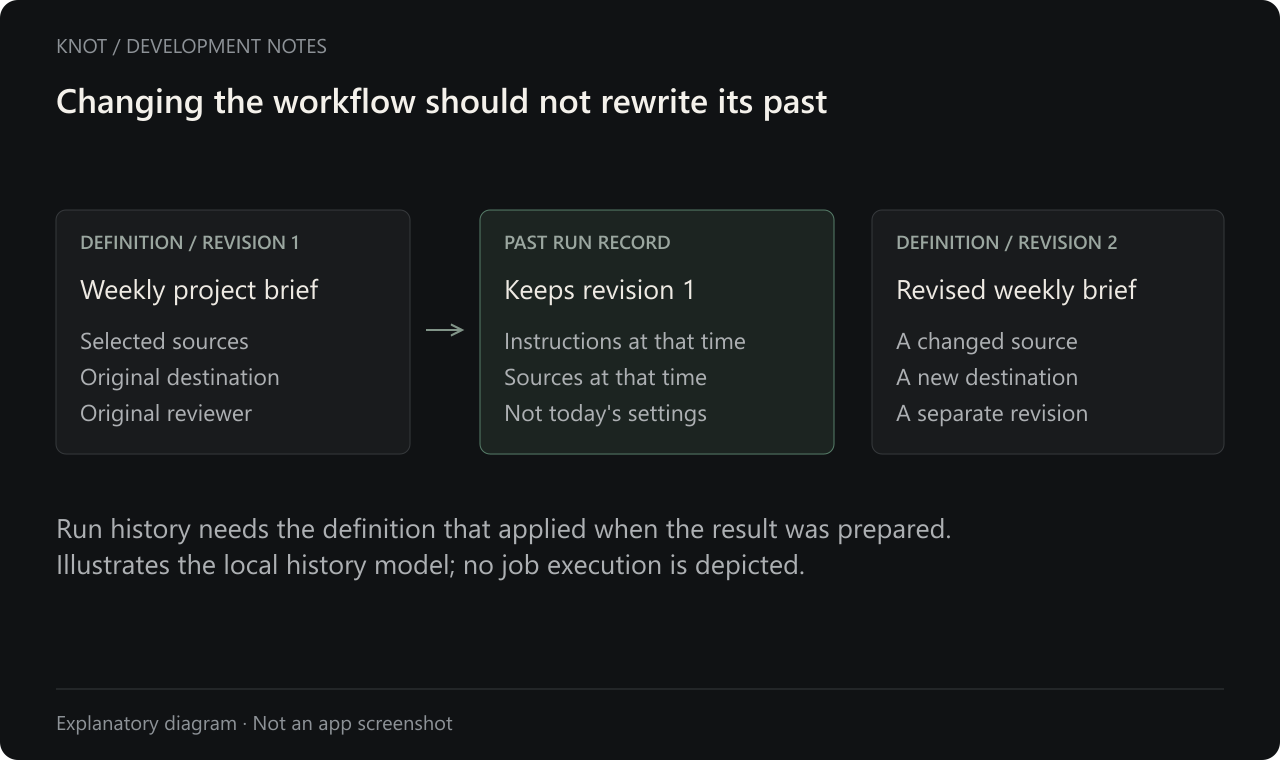
If a result later looks wrong, the useful question is what instructions and sources applied when it was prepared. Showing today's configuration beside an older result could give a precise-looking but incorrect answer.
The September implementation settled these editing and history relationships locally. It did not include a scheduler, connected model, background worker or durable run service. Its setup check validated the definition, not the execution. Saving, checking or clicking an example action could not manufacture a successful run.
That boundary helped us focus the design. Before a workflow can run reliably, a person needs to understand what they have asked it to do. A schedule answers when. The rest of the definition is where responsibility becomes clear.