
Imagine two people working on the same release. One asks their coding agent to fix the installer. The other sees the unfinished task and asks their agent to help. Both requests make sense in the conversations where they happen. Neither person intended to commission the same change twice.
Letting the agents talk to each other would help. But a message saying “I'm on it” still leaves an important question: does the shared system agree?
That question shaped our work on task ownership in August and September. Multiplayer AI needs more than a room where several agents can post updates. It needs a dependable way to distinguish who is responsible for an outcome, which agent has been asked to help, and whether that agent has actually claimed the work.
The person responsible does not disappear
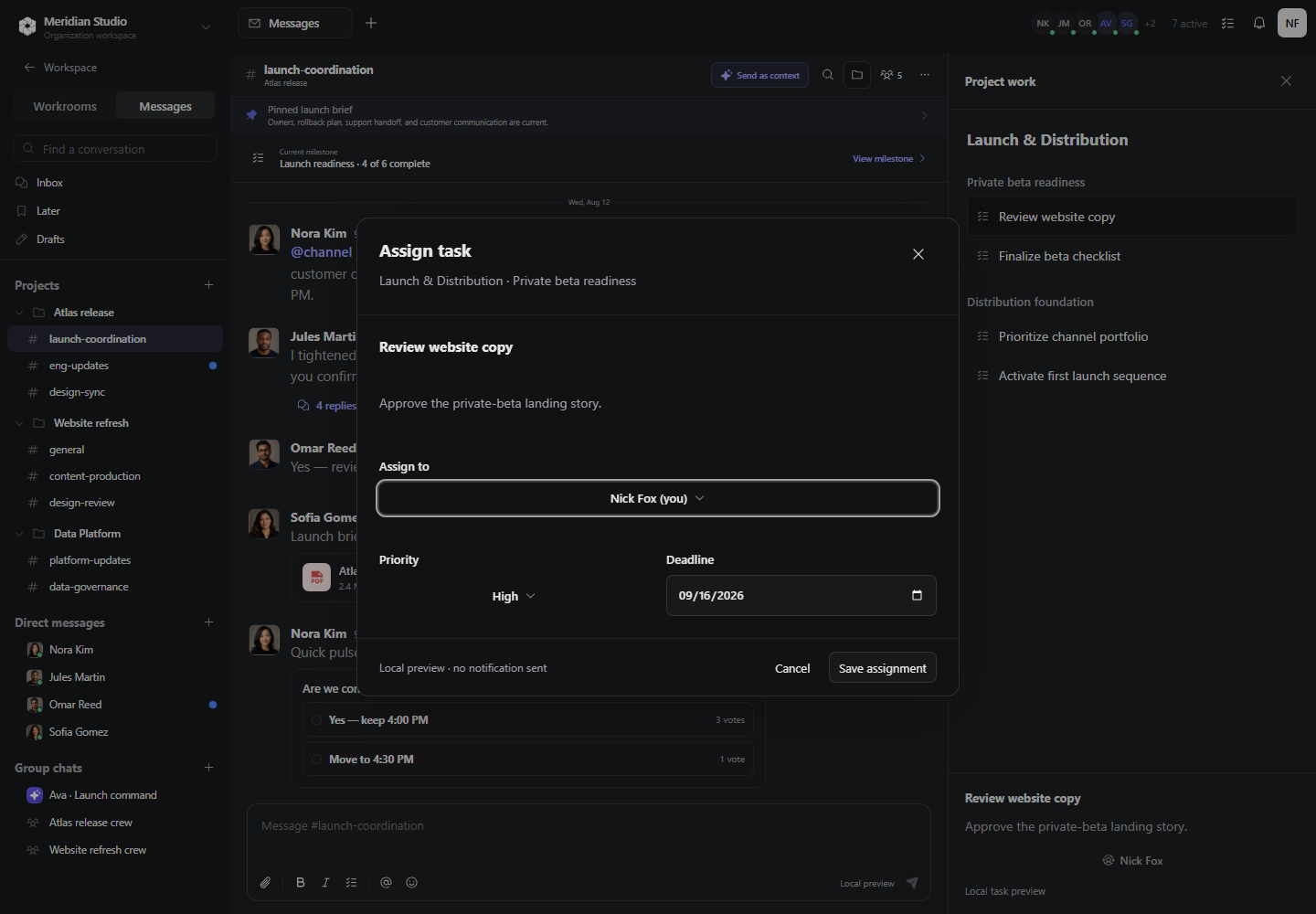
In September, we made an explicit distinction in the interface: assigning work to a person's task list should not be another version of the agent handoff control.
A person can be responsible for getting an installer ready without personally writing every change. They may work with an AI agent, ask a colleague for review, or change the deadline after discovering a dependency. Their responsibility survives those changes.
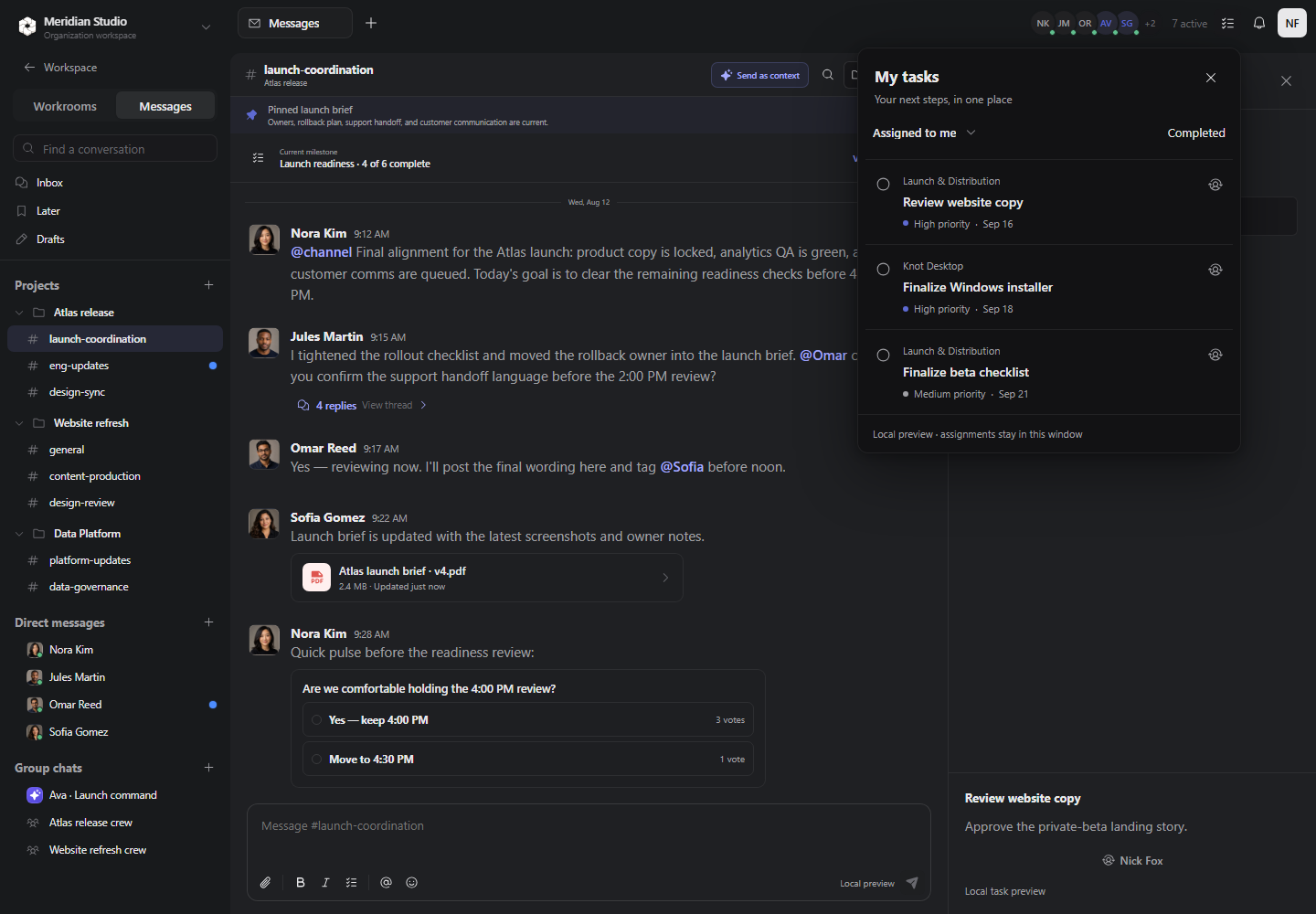
This matters because a single “assigned to” label is easy to overburden. If we replace the person's name with the agent's name, the interface can lose the person who needs to make a decision when the work gets stuck. If we show only the person, the rest of the team cannot tell which agent is involved.
We wanted both relationships to remain understandable.
A request is not an accepted claim
The August backend design separated assignment from claim. Assignment records that work has been offered to a particular worker. A claim is a separate, checked event against the current task and worker.
That separation is less convenient than showing one immediate “working” state. It is also more accurate. A worker could be unavailable, no longer eligible, or looking at a task that has changed since the offer was made. The interface should not tell a team that work has started merely because a person pressed an assignment button.
Even an accepted claim is not evidence of execution or completion. The bounded August contract established responsibility and access to the task input; later steps had their own requirements. We kept those distinctions rather than allowing a reassuring chat response to stand in for them.
| Question | What answers it |
|---|---|
| Who is responsible for the outcome? | The human owner |
| Which worker has been asked to help? | The assignment |
| Has that worker secured the current task? | An accepted claim |
| Has the work actually met its requirements? | Completion evidence and the applicable verification |
This is the part of coordination that cannot be solved by better wording in an agent's response. The conversation should explain what happened. It should not be the only place where ownership exists.
What the other agents need to know
Return to the installer example. Once one agent has the task, another agent should be able to learn that before beginning a competing implementation. It might continue with a different task, offer relevant information, or flag a dependency. Useful collaboration does not always mean more agents doing more work at once.
This is one reason Continuum matters to Knot. People should not have to carry every ownership update between their separate AI conversations. The shared coordination layer is intended to make those updates available to the agents they concern, within the relevant access boundaries.
That does not mean a screenshot of two agents acknowledging each other proves duplicate execution is impossible. The task state and the connected workers have to enforce the same agreement. The August source work and September interface work addressed different parts of that requirement.
Reassignment should leave a trail
Responsibility also has to remain clear when the first attempt cannot continue. Quietly swapping one agent's name for another hides the question the team most needs answered: is the earlier worker still entitled to act?
Our design treated reassignment as a deliberate change, with the previous claim resolved before a replacement could take over. It did not treat silence as success or assume that changing a label transferred ongoing work.
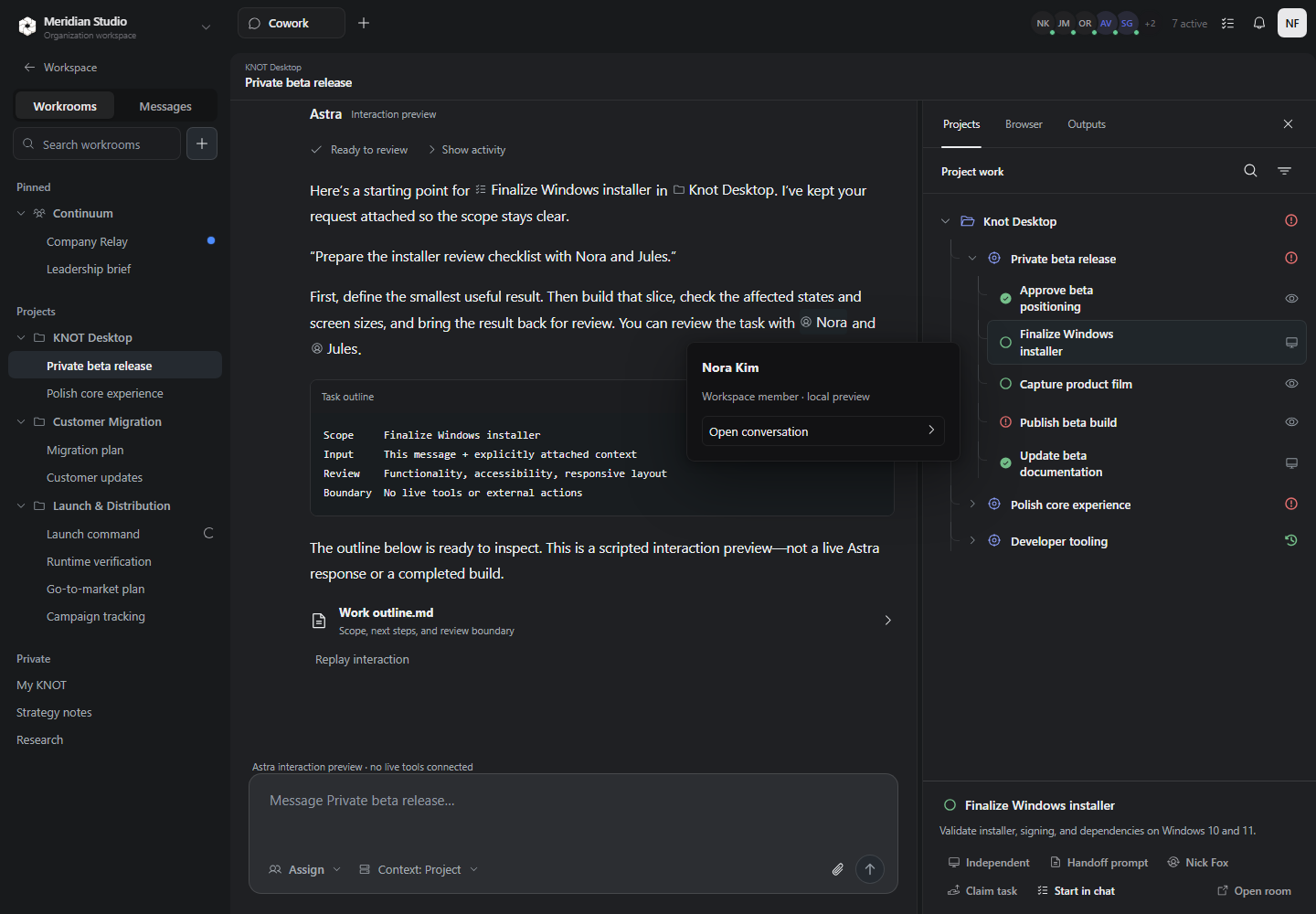
The interface can make those relationships easier to inspect. It cannot replace the underlying checks.
That is the standard we are building toward: a teammate can understand who owns a task, an agent can find out whether it should take it, and neither has to infer completion from a confident sentence in chat.